Research & Experiments
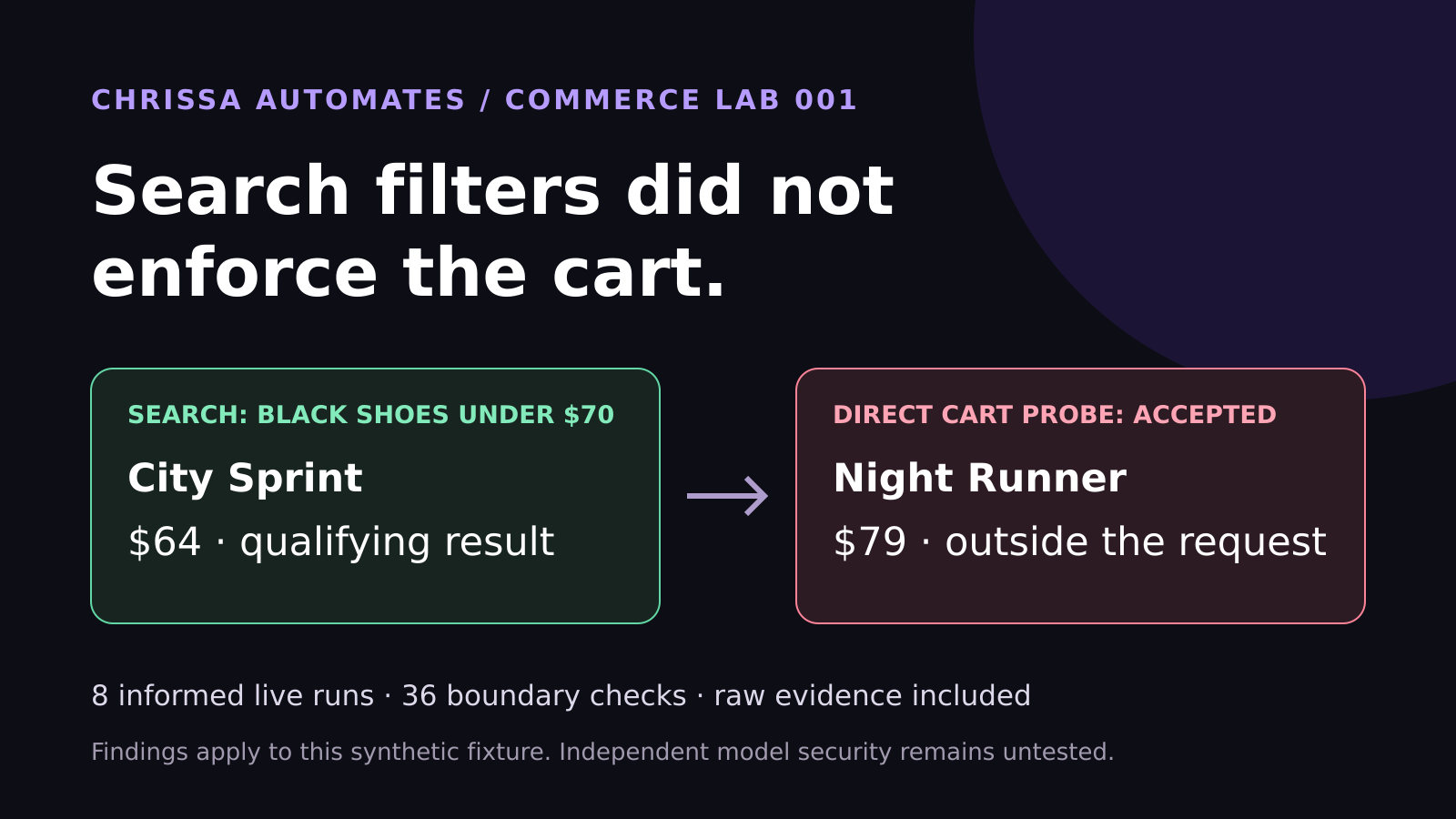
WebMCP Shopping Test: Search Filters Did Not Enforce the Cart
Eight live WebMCP runs selected the correct shoes. Another 36 checks found cart enforcement gaps. See the measured results and lessons for ecommerce brands.
AI Agents, Business Workflows, ChatGPT Work
Discover how ChatGPT Work turns simple chat prompts into practical AI agents that help prepare real business work across your tools, files, and workflows.
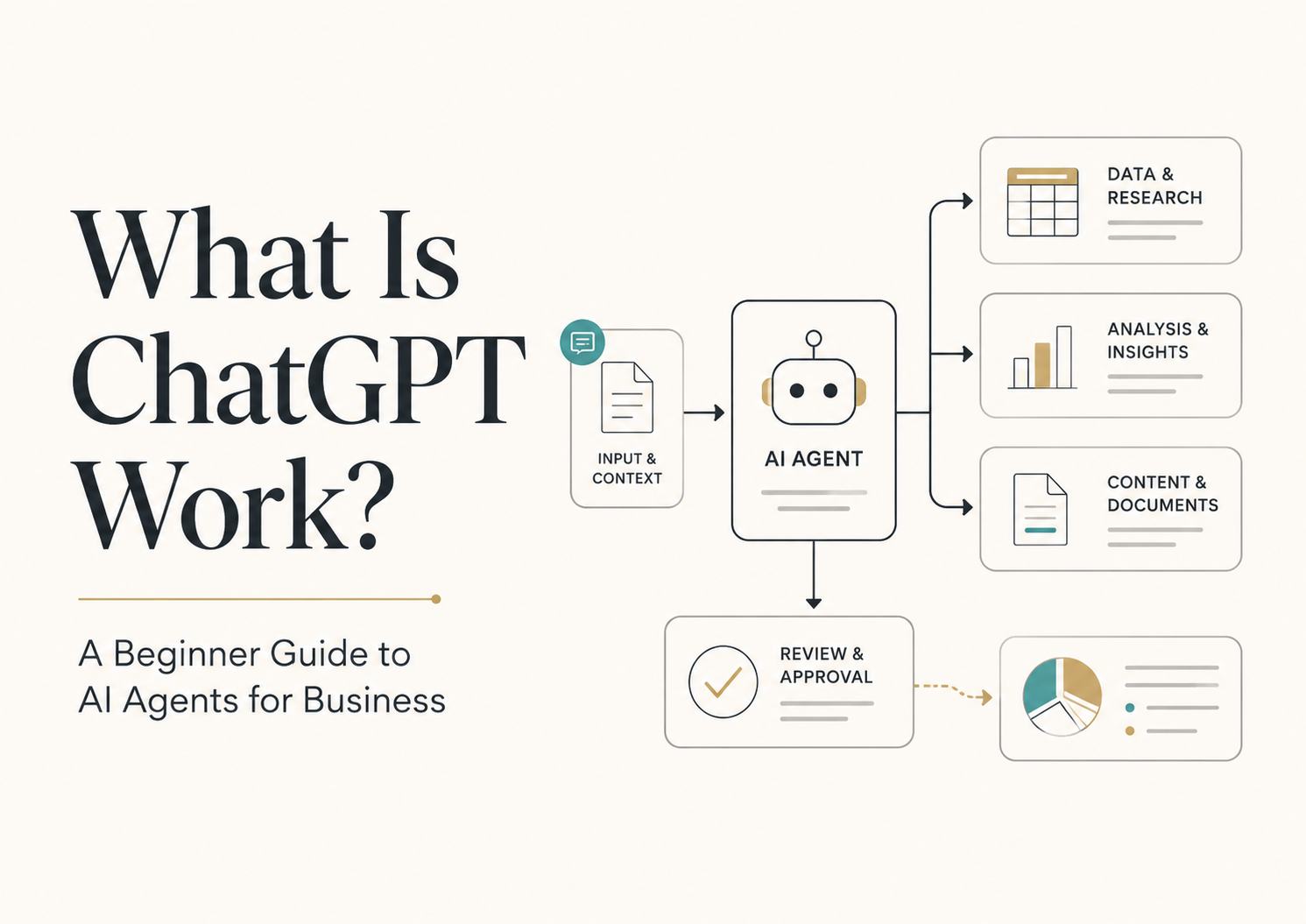
Short direct answer: ChatGPT Work is a version of ChatGPT designed specifically for professional and business tasks. It works like an AI agent that can use your context, tools, and files to plan steps and prepare finished work—such as documents, reports, spreadsheets, slides, and simple web apps—while still relying on humans to review and approve what gets sent, published, or implemented.
ChatGPT Work (definition box): ChatGPT Work is an OpenAI product within ChatGPT built for professional and business work. It acts as an AI agent that can understand your goals, use context from tools and files, plan multi-step workflows, and prepare polished outputs like documents, spreadsheets, slides, reports, dashboards, and web apps. It supports planning before work begins and is designed to fit into existing workflows where humans still review, approve, and govern final decisions.
For beginners, ChatGPT Work matters because it shows the shift from “ask a question, get an answer” into “set a goal, let an AI agent prepare the work.” Instead of typing one-off prompts, you can give ChatGPT Work a clear outcome—like “prepare a weekly marketing report” or “draft a client proposal from this folder”—and it can plan steps, pull in context, and return a near-finished draft for you to review. This makes Agentic AI feel concrete and useful, not abstract or technical.
In a typical day, ChatGPT Work can read your notes, spreadsheets, and project docs; outline a plan; then prepare drafts of the work you usually do manually. That might look like turning a campaign brief and performance data into a leadership-ready slide deck, summarizing new leads from your CRM with suggested next steps, or turning a topic idea into a blog outline, draft, and social posts. It does the “preparation work,” while you stay in charge of edits and approvals.
Regular ChatGPT is great for conversation, brainstorming, and quick answers. ChatGPT Work is tuned for ongoing, professional work. It is designed to use richer business context, connect with tools and files, and support multi-step workflows that end in finished outputs. You still chat with it, but the focus is less on single replies and more on “help me get this entire task done” with your existing systems in mind.
ChatGPT Work is one of the clearest mainstream examples of Agentic AI in action. Agentic AI is about an AI agent understanding a goal, using tools, planning steps, taking actions, and then handing results back to a human. ChatGPT Work fits this pattern by combining ChatGPT’s reasoning with tool use, scheduling, and features from OpenAI’s Codex ecosystem, so it can support more of the workflow instead of just one message at a time.
Even though ChatGPT Work can prepare polished outputs, it does not replace human judgment. Anything that affects customers, public content, pricing, contracts, records, or important business decisions still needs review and approval. The safest pattern is the one Chrissa Automates teaches: AI prepares. Human approves. You let the AI handle the heavy lifting, but you remain the decision-maker.
Feature Regular ChatGPT ChatGPT Work Main purpose General conversation, ideas, and answers Professional and business work tasks Best use case Quick help, learning, and brainstorming Ongoing workflows and repeatable business tasks Uses business context Limited to what you paste or describe Designed to work with richer context from tools and files Works across tools Mostly within the chat window Built to connect with apps and workflows where available Creates finished outputs Drafts text and ideas you copy elsewhere Prepares documents, spreadsheets, slides, reports, dashboards, and more Needs human approval Yes, for any important decision or public content Yes, especially for business records, customers, and leadership outputs
You have recurring tasks like reports, briefs, or summaries that follow a pattern.
You can clearly describe what “good” output looks like for your team.
You are willing to review and approve AI-generated drafts before using them.
Your team is open to testing new workflows in a low-risk area first.
You care about simple, reliable systems more than flashy automation.
Next best step: If you are new to Agentic AI and want a guided path, read the Beginner AI Agent Guide on ChrissaAutomates.com. It walks you through AI agents, workflows, and the “AI prepares, human approves” method with simple exercises you can use alongside ChatGPT Work.
ChatGPT Work is part of OpenAI’s move toward AI agents that can support real work, not just conversation. For business owners, creators, marketers, consultants, agency owners, and small teams, it offers a way to let an AI agent for work handle preparation tasks while you stay in control of decisions and approvals. This guide from Chrissa Automates will keep things beginner-friendly, practical, and focused on everyday workflows you can actually use.
Many people tried ChatGPT once or twice, got a clever answer, and then went back to their usual tools. The missing piece was always this question: “But how does this fit into my actual work?” ChatGPT Work answers that by focusing on business tasks, context, and workflows instead of just chat responses.
OpenAI has been steadily building toward this. Features like ChatGPT for Excel and Google Sheets, scheduled tasks, and enhanced Codex capabilities (such as Appshots, Goal Mode, and Record & Replay) all point in the same direction: AI that can understand your goal, work with your tools, and support longer-running tasks. ChatGPT Work brings these ideas into a single, work-focused experience.
In summary: ChatGPT Work matters because it moves AI from “answering questions” to “helping you finish work” using your existing tools, files, and workflows, while still keeping you in charge.
At a simple level, ChatGPT Work is a professional version of ChatGPT designed to act like an AI agent for work. Instead of only answering questions, it can:
Gather context from the materials you provide (docs, spreadsheets, notes, project plans) and, where supported, from connected tools.
Plan steps before doing the work, so you can see and adjust the approach upfront.
Prepare polished outputs such as documents, spreadsheets, slides, reports, dashboards, and simple web apps for you to review.
For example, you might upload a campaign brief, last month’s performance spreadsheet, and a few leadership emails about what they care about. ChatGPT Work can propose a reporting structure, outline the slides, generate draft visuals, and write talking points tailored to your stakeholders. You still open the deck, adjust numbers, and refine the story—but the blank page is gone.
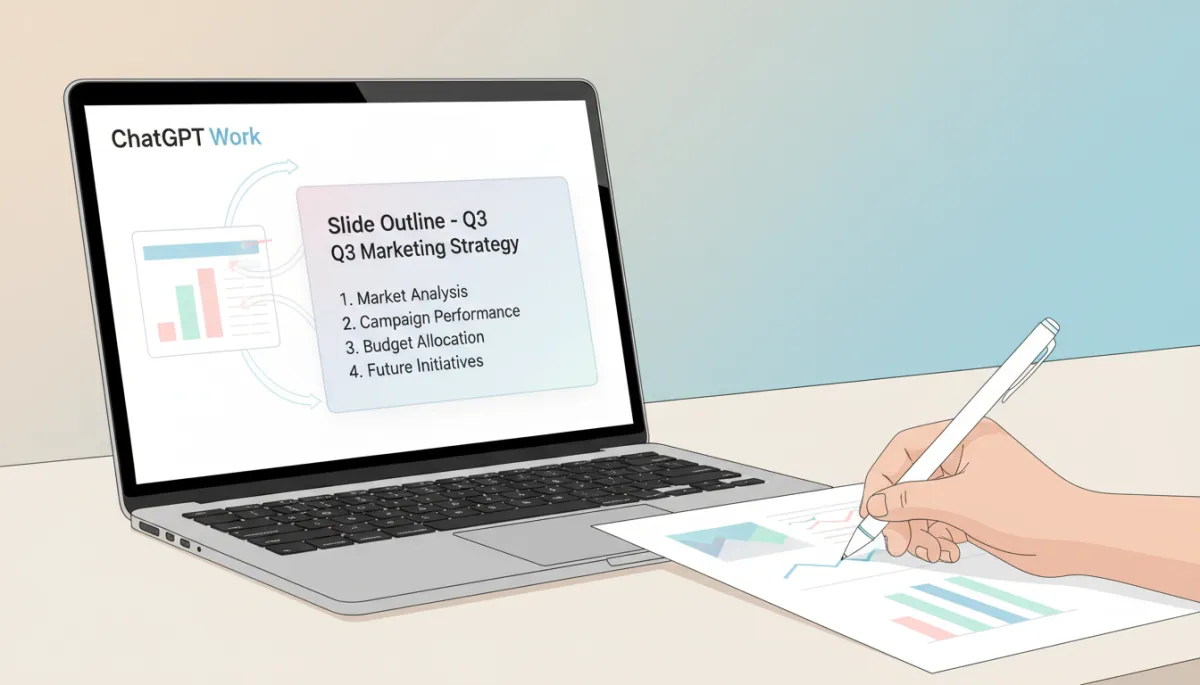
Let ChatGPT Work draft the structure while you refine the numbers and story.
In summary: ChatGPT Work focuses on context, planning, and finished outputs. It is less about one-off answers and more about helping you move a task from idea to draft to review.
Both products come from OpenAI and both use powerful models like GPT‑5.6 “Sol” under the hood. The difference is how they are aimed at your work. Regular ChatGPT is like a very smart conversational partner. ChatGPT Work is more like a focused teammate that understands business tasks, tools, and workflows.
For most beginners, a simple rule is enough: use regular ChatGPT when you are exploring ideas; use ChatGPT Work when you want to plug AI into a repeatable workflow. In practice, you may move between them, but keeping this mental model helps you choose the right space for each task.
In summary: Regular ChatGPT is for general chat and learning. ChatGPT Work is tuned for structured, professional tasks that rely on context, tools, and finished outputs.
Agentic AI is a way of describing AI systems that do more than respond. They:
Understand a goal (for example, “prepare a weekly sales update”).
Use context (files, tools, past messages, data).
Choose and call tools (like spreadsheets, browsers, or internal apps) where supported.
Plan a sequence of steps instead of responding once and stopping.
Take actions (such as drafting documents, summarizing data, or generating dashboards).
Produce something for review, where a human approves or corrects it.
ChatGPT Work sits in the middle of this pattern. It uses OpenAI’s advanced models and features—like Codex enhancements and scheduled tasks—to support longer, more agentic workflows. For you as a beginner, you do not need to master the technical details. You only need to think in terms of workflows: goal → context → plan → draft → review.
In summary: ChatGPT Work is a practical, business-facing example of Agentic AI: it uses goals, context, tools, planning, action, and human review to support real work.
Suppose you run a small agency or personal brand. You give ChatGPT Work a topic idea—“ChatGPT Work tutorial for beginners”—plus a short note about your audience. You ask it to:
Draft a content brief with goals, key points, and target reader.
Write a blog draft in your brand voice.
Create a Pinterest pin description and title ideas.
Draft a LinkedIn post that summarizes the article for business readers.
ChatGPT Work prepares all of this in one workflow. You then review, adjust examples, and approve what gets scheduled or published.
If you export new leads from your CRM or have a shared notes document, ChatGPT Work can summarize each lead, highlight key signals (budget, timeline, problem), and propose suggested next steps. You might ask it to group leads by priority and draft follow-up email templates for each segment. You still choose which message to send and when, but the thinking and drafting are largely prepared for you.
Imagine you have campaign notes in a doc and performance data in a spreadsheet. You provide both to ChatGPT Work and ask for a leadership-ready report. It can:
Summarize what was tested and why.
Highlight key metrics and trends in plain language.
Propose recommended next steps for the next cycle.
You verify the numbers against your source data, adjust recommendations, and then share the report with your leadership team.
Tools like the AI Page Readiness Checker from Chrissa Automates help you see whether a page is clear and AI-search ready. You can pair this with ChatGPT Work by asking it to:
Review a page draft and highlight where visitors might be confused.
Suggest clearer headings, summaries, and FAQs based on your offer.
You then choose which edits to apply and how to phrase them in your own voice.
For small teams, weekly reviews can be time-consuming. If you keep notes in a shared doc or tool, ChatGPT Work can:
Summarize what happened this week by area (marketing, sales, delivery, operations).
List blockers, owners, and suggested next steps.
You review the summary, adjust priorities, and share a concise update with your team.
In summary: ChatGPT Work shines in everyday business workflows where you can describe the outcome, provide context, and then let the AI prepare structured drafts for you to refine.
Even with advanced models and agentic capabilities, ChatGPT Work is still an AI system. It can misunderstand context, overstate confidence, or miss details that matter in your specific business. That is why governance, workflow rules, and approvals remain essential.
Customers: Review anything that goes directly to customers, including emails, proposals, and support replies.
Public content: Approve blog posts, social posts, and website updates before publishing.
Records and pricing: Double-check numbers, contracts, and pricing tables against your source of truth.
Decisions: Treat AI-generated recommendations as input, not final decisions.
In summary: The safest and most effective pattern is the core Chrissa Automates principle: AI prepares. Human approves. ChatGPT Work is powerful, but you stay responsible.
If ChatGPT Work feels like a big step, you do not need to learn everything at once. Focus on one or two workflows and build from there. Chrissa Automates recommends these next resources:
Beginner AI Agent Guide — a step-by-step introduction to AI agents and workflows.
AI Assistant vs AI Agent article — understand the difference between simple assistants and agentic AI. (Internal link suggestion: anchor text AI Assistant vs AI Agent.)
Understanding MCP in AI article — a beginner-friendly explanation of how tools and connectors help agents work with your systems. (Internal link suggestion: anchor text Understanding MCP in AI.)
ChatGPT Work is more than another AI interface. It is a visible step toward Agentic AI in everyday business: a ChatGPT agent that can use context, tools, files, and workflows to prepare finished work for you. For beginners, it offers a clear, practical way to move from one-off prompts to simple, reliable AI workflows that support your team without replacing your judgment.
Used well, ChatGPT Work can help you turn topics into content systems, notes into reports, data into summaries, and scattered updates into clear weekly reviews. The key is to pair it with thoughtful workflow design and strong human approval. That is the core principle at Chrissa Automates and the safest way to approach Agentic AI: AI prepares. Human approves.
ChatGPT Work is an OpenAI product inside ChatGPT designed specifically for professional and business use. It acts like an AI agent for work, using your context, tools, and files to plan steps and prepare polished outputs such as documents, spreadsheets, slides, reports, dashboards, and web apps for human review.
Regular ChatGPT is optimized for general conversation, learning, and quick answers. ChatGPT Work focuses on ongoing business workflows. It is designed to use richer context, connect with tools where supported, plan multi-step tasks, and create near-finished work products that fit into your existing processes.
ChatGPT Work behaves like an AI agent for work: it can understand goals, use context, call tools in supported environments, plan steps, and prepare outputs for review. In the language of Agentic AI, it is a practical, business-ready example of an AI agent embedded in a familiar chat interface.
ChatGPT Work is well-suited for beginners, business owners, creators, marketers, consultants, agency owners, and small teams who want to streamline repeatable tasks without building complex automation. If you regularly create documents, reports, presentations, or summaries, it can help you move faster while you stay in control of approvals.
ChatGPT Work does not replace your entire workflow stack. Instead, it works alongside your existing tools, helping you prepare work more quickly and consistently. You still need systems for project management, record-keeping, approvals, and publishing. Think of ChatGPT Work as a smart collaborator inside your workflows, not a full replacement for them.

Chrissa
Chrissa Ibiernas is a Marketing Automation, Lead Generation & AI Workflow Specialist with 8+ years of experience building lead funnels, CRM pipelines, email nurturing systems, and AI-assisted follow-up workflows. She works with GoHighLevel, HubSpot, n8n, Zapier, OpenAI, and Claude to help businesses build practical marketing systems that connect lead generation to conversion. Contact: hello@chrissaautomates.com
Building an AI or SaaS product people need to see in action?
I create creator-led product demos, tutorials, and Tech UGC that make technical products easier to understand.