Research & Experiments
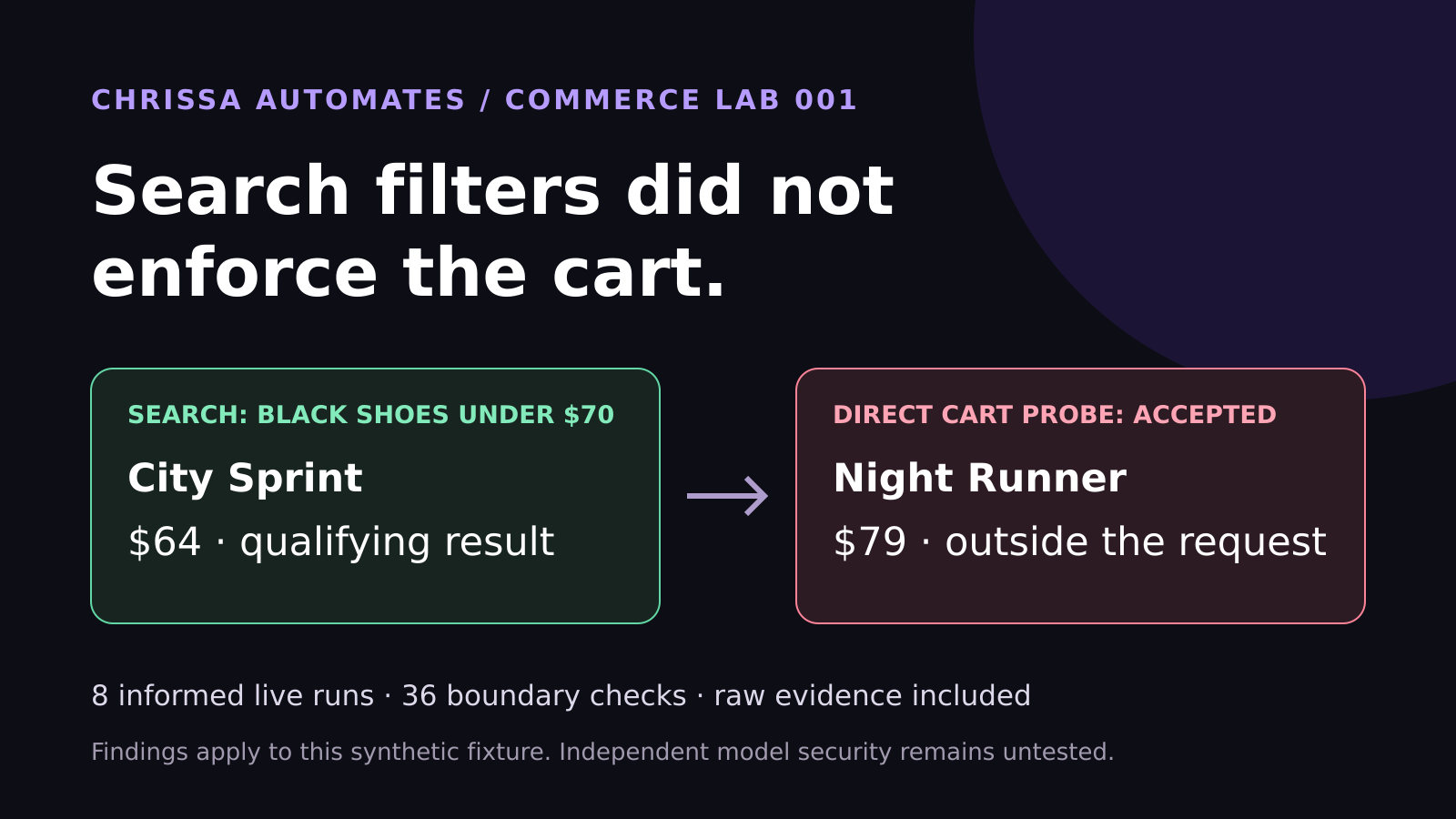
WebMCP Shopping Test: Search Filters Did Not Enforce the Cart
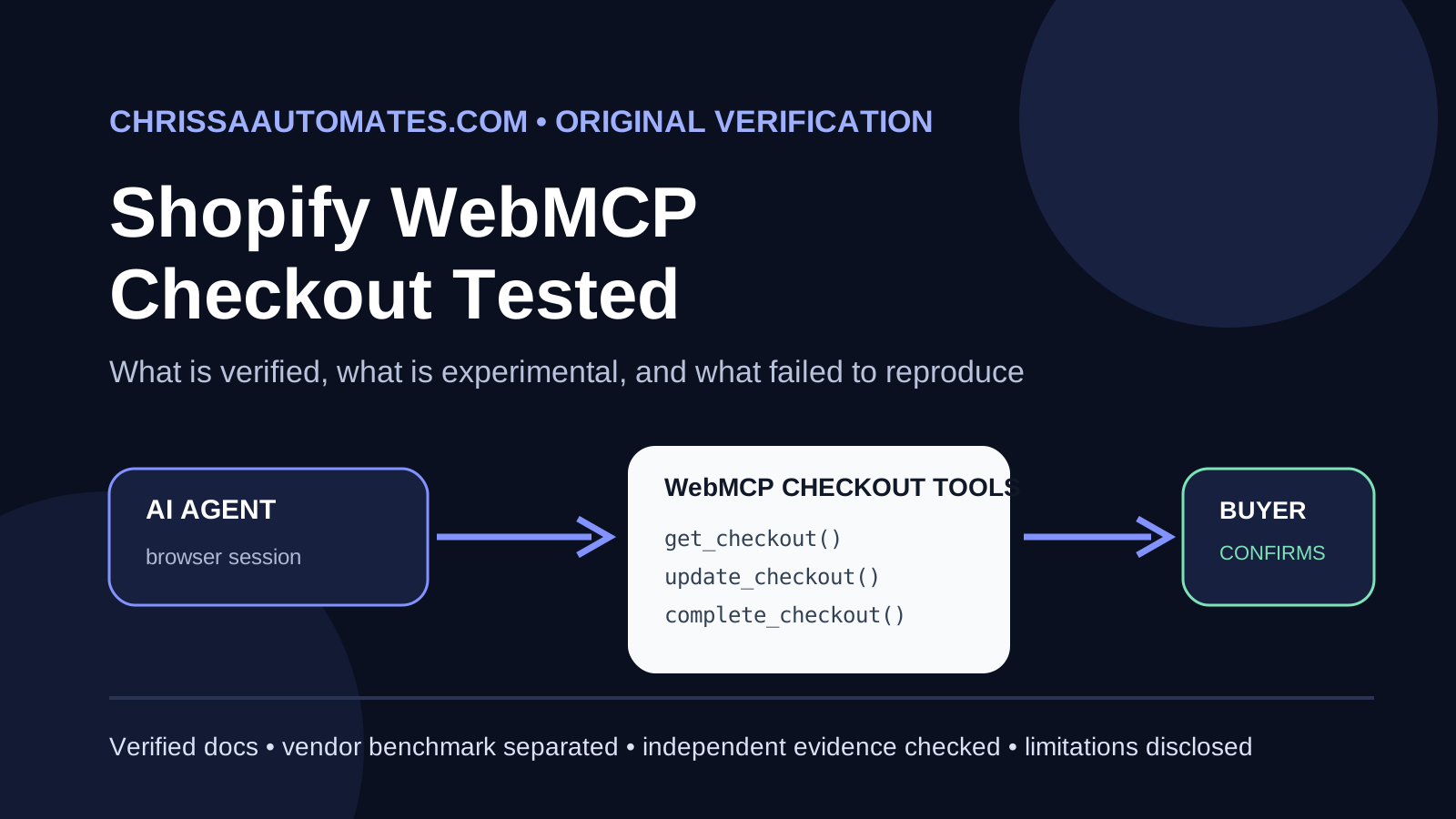
Eight live WebMCP runs selected the correct shoes. Another 36 checks found cart enforcement gaps. See the measured results and lessons for ecommerce brands.
AI Agents, Model Context Protocol, Business Workflows
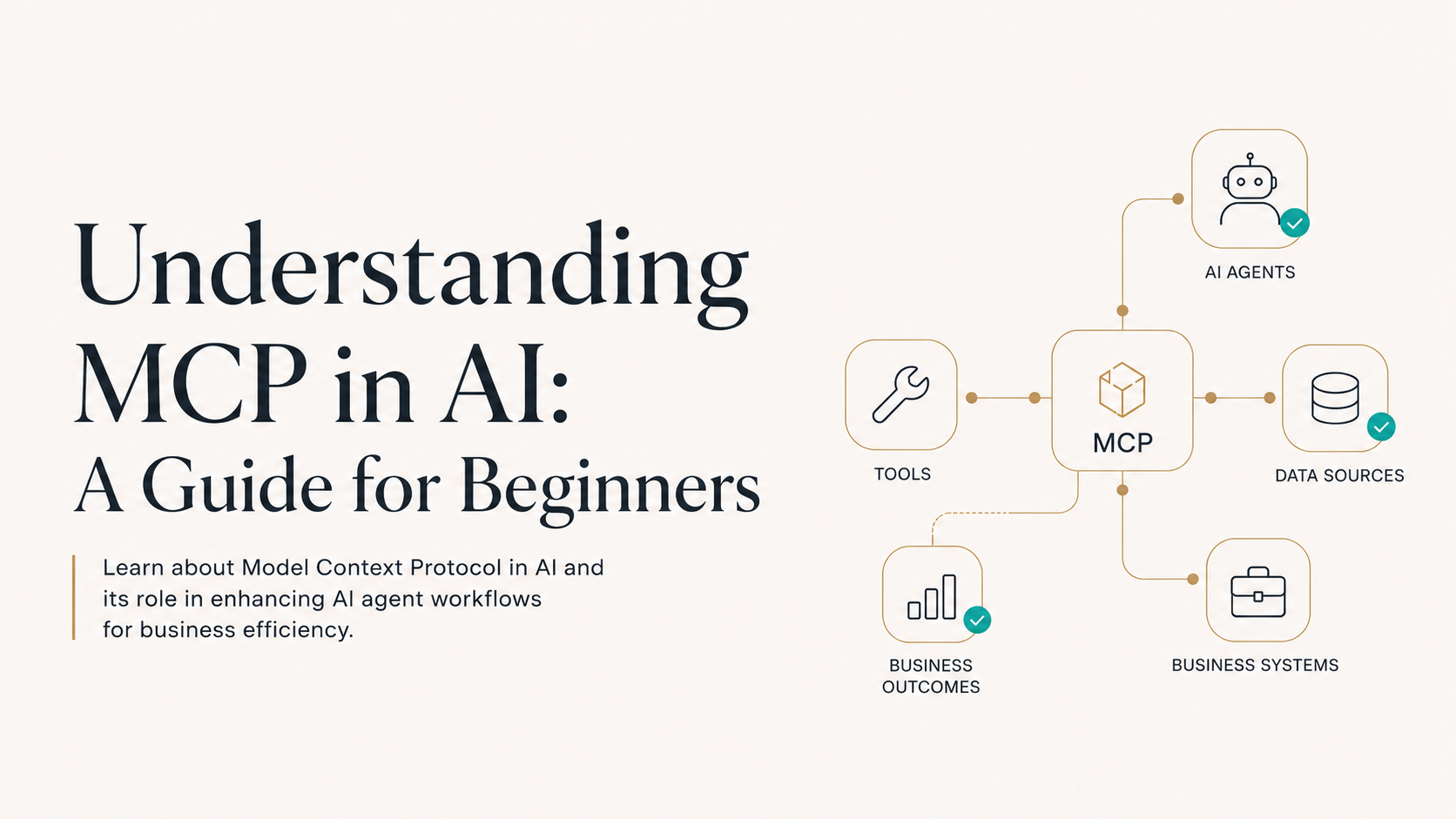
If you are exploring AI agents for your business, content, or consulting work, you have probably heard the term Model Context Protocol (MCP) and wondered what it actually means. This beginner guide explains what is MCP in AI, why it matters for modern AI workflows, and how it helps you build reliable “AI prepares, human approves” systems that fit into your real-world processes.
At its core, the Model Context Protocol (MCP) is a way to give AI agents the right context and tools so they can work inside your existing systems safely and effectively. When people ask, “what is MCP in AI?”, the simplest answer is:
📌 Key Takeaway: MCP is a structured method for connecting AI models to the data, tools, and rules they need to complete tasks in your real-world workflows.
Instead of letting an AI agent “guess” what it should do, MCP explained looks like this:
You clearly define what information the AI can see (its AI agent context).
You specify which AI agent tools it can use (for example, CRM, email, automations).
You set guardrails so that AI prepares, human approves before anything important is sent, published, or changed.
In other words, MCP for AI agents is about giving your model a well-organized environment to work in, instead of dropping it into chaos and hoping for the best. It turns a powerful but generic AI model into a focused, reliable assistant that understands your business context.
For business owners, creators, marketers, and small teams, AI is only useful when it fits into your existing processes. That is where the importance of MCP in AI workflows really shows up. Without clear AI workflow context, your agent can:
Hallucinate answers because it does not know your policies, offers, or past conversations.
Miss key details buried in your CRM, project tools, or documents.
Create more work for your team instead of saving time.
With a solid Model Context Protocol in place, your AI agent:
Knows which sources of truth to use (website pages, knowledge base, CRM).
Understands what “done” looks like for a specific workflow step.
Hands off a draft or decision for human review at the right moment.
💡 Pro Tip: If your AI agent feels “random” or inconsistent, you likely have a context problem, not a model problem. Strengthening MCP usually fixes it.
Once you understand what is MCP in AI, the next question is obvious: How does this actually make my AI agent better? When you design a clear Model Context Protocol, you enhance your agent in three major ways: awareness, action, and approval.
AI agent context is everything the model can “see” when it is working. MCP helps you define:
Which pages on your site are relevant to specific tasks (offers, FAQs, pricing).
What customer data is safe and allowed to use in responses.
Which internal documents or SOPs should guide its decisions.
Tools like the AI Page Readiness Checker help you audit whether your website content is actually usable as context. If your pages are unclear or incomplete, your agent will struggle, no matter how advanced the model is.
The second way MCP for AI agents boosts capability is by defining which AI agent tools the model can use to take action. Instead of only generating text, your agent can trigger automations through platforms such as:
n8n – for building visual workflows that connect your CRM, email, and databases without heavy coding.
GoHighLevel – for sales and marketing pipelines, lead nurturing, and follow-up sequences.
ManyChat – for chat-based experiences on social platforms and websites.
With a strong Model Context Protocol, your agent knows when it is allowed to trigger an n8n workflow, how to log outcomes back into GoHighLevel or your CRM. This is how you move from “AI that talks” to “AI that actually does work for you.”
The third pillar of MCP is approval. For most professionals and small teams, the safest pattern is “AI prepares, human approves.” That means your AI agent:
Drafts email replies, proposals, or campaign copy based on your context.
Prepares CRM updates or task lists but does not commit changes automatically.
Routes everything to a human dashboard for quick review and approval.
This is where tools like GoHighLevel, ManyChat, and automation platforms really shine. You can design flows where the AI suggests the next best message or action, but your team clicks “approve” before it goes out. MCP defines exactly when that approval step is required.
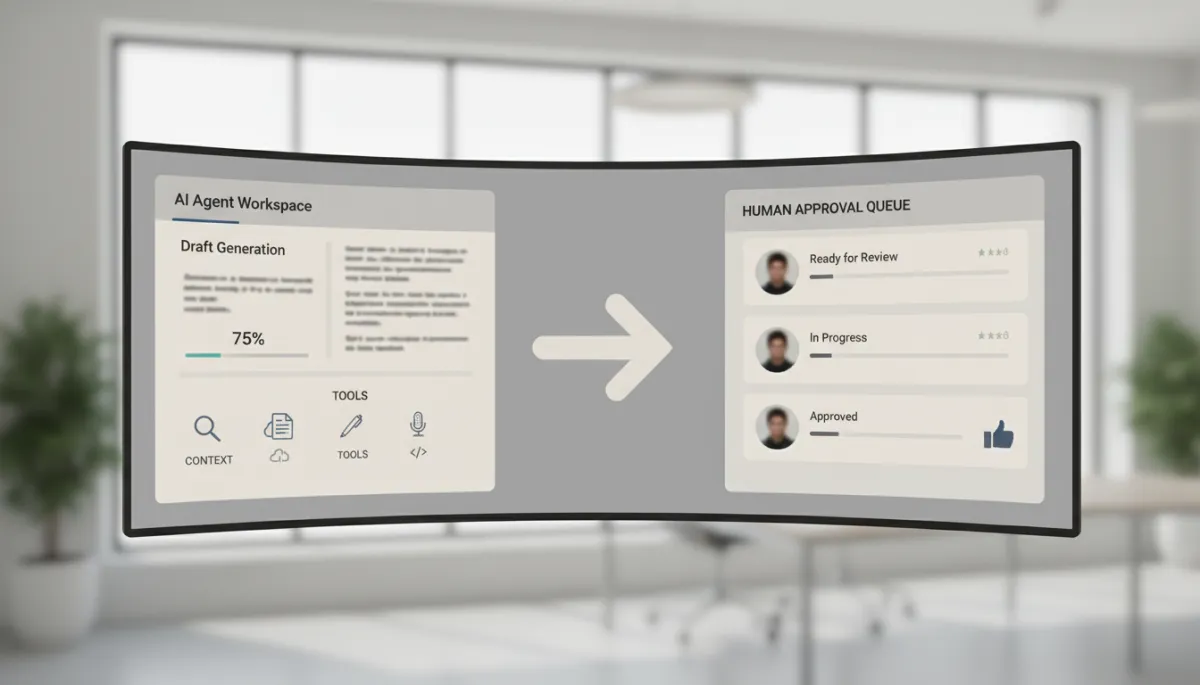
AI prepares drafts while humans approve final actions, balancing speed and control.
To make MCP business workflows more concrete, here are a few beginner-friendly scenarios where a clear Model Context Protocol makes AI agents truly useful for professionals, creators, and consultants.
Imagine you run a boutique marketing agency. With MCP in place, your AI agent can:
Pull lead details and past interactions from GoHighLevel.
Use your service pages (checked with the AI Page Readiness Checker) as context to accurately describe your offers.
Draft personalized follow-up emails, then send them to your approval queue via n8n.
You approve or edit in seconds, and the automation sends the final message. Here, MCP defines which fields the agent can use, which templates to follow, and when to pause for human review.
As a creator or consultant, you might use AI to repurpose long-form content into social posts, emails, or scripts. With a well-designed AI workflow context:
Your AI agent knows your brand voice rules and offer positioning from a central knowledge base.
You approve, tweak, and publish – again following the AI prepares, human approves pattern.
MCP is what keeps your content on-brand and on-message, even when your AI is doing most of the heavy lifting.
If you are new to agentic AI, you do not need to become a technical expert to benefit from MCP. You just need a structured way to think about context, tools, and approvals. The easiest next step is to walk through a guided framework in the Beginner AI Agent Guide.
That guide shows you how to:
Map a simple workflow where an AI agent can help (without redesigning your whole business).
Identify what context your agent actually needs to succeed at that workflow.
Choose beginner-friendly tools from the AI Agent Tools Directory that plug into your current stack.
💡 Pro Tip: Before you build anything complex, start with one workflow and layer MCP on top of it.
If you remember only one thing from this guide, let it be this: Model Context Protocol is the way you tell your AI agent what it can see, what it can do, and when a human has to approve. That is the foundation of safe, effective, and scalable AI in real business workflows.
By deliberately designing AI agent context, connecting the right AI agent tools like n8n, Make, GoHighLevel, and ManyChat, and following the AI prepares, human approves pattern, you unlock the real power of MCP for AI agents without losing control of your brand, your data, or your customer relationships.
Now that you have a clear answer to “what is MCP in AI?” and understand the importance of MCP in AI workflows, the most valuable move you can make is to apply this to one real use case in your business. Do not try to automate everything at once. Start small, but start with a strong foundation.
With MCP in place, your AI agents stop being experiments and start becoming dependable teammates – preparing the work, while you stay in control of every final decision.
MCP stands for Model Context Protocol. It is a framework that helps AI applications connect with external tools, data sources, and business systems in a more organized way. For beginners, MCP is easiest to understand as a bridge that gives an AI agent access to the context it needs before preparing a useful response or action.
MCP is important because AI agents need context to work well. An AI agent can give better summaries, suggestions, and workflow outputs when it can access the right information, such as documents, customer records, website content, databases, or business tools. MCP helps organize those connections so the AI agent can work with more relevant information.
No. MCP and AI agents are different parts of an AI workflow. An AI agent is the system that works toward a goal using instructions, reasoning, and tools. MCP is a connection layer that helps the AI agent access the tools and context it may need to complete a task.
MCP can help business workflows by giving AI agents a cleaner way to connect with useful business information. For example, an AI agent may need website content, CRM details, product information, support records, or internal documents before it can prepare a summary, draft, recommendation, or next step. MCP supports this kind of context-based workflow.
MCP can help AI agents produce more relevant outputs because it improves access to useful context. However, MCP does not guarantee perfect answers. The quality still depends on the information available, the workflow design, the instructions given to the AI, and human review for important decisions.
No. MCP does not replace workflow and automation tools. Tools like n8n, Make, and GoHighLevel can still be used to build automations, manage triggers, route data, and create approval steps. MCP supports how AI connects with context, while automation tools help organize the actual workflow.
No. MCP can help AI agents access better context, but important actions should still have human review. A safe AI workflow lets the AI prepare drafts, summaries, or recommendations, while a person reviews important decisions before anything is sent, published, updated, or changed.
The easiest way to explain MCP is this: MCP helps AI agents connect with the information and tools they need. Instead of giving an AI agent disconnected pieces of information, MCP creates a more organized way for the AI system to access context and prepare better results.
MCP is useful for business owners, creators, marketers, consultants, automation builders, and small teams that want to understand how AI agents connect with tools and data. Beginners do not need to master the technical details right away. It is enough to understand that MCP supports context, tool access, and more practical AI workflows.
The main takeaway is that MCP helps AI agents work with better context. It does not replace strategy, workflow design, or human judgment. For beginners, MCP is best understood as part of the foundation that makes AI agent workflows more useful, organized, and business-ready.

Chrissa
Chrissa Ibiernas is a Marketing Automation, Lead Generation & AI Workflow Specialist with 8+ years of experience building lead funnels, CRM pipelines, email nurturing systems, and AI-assisted follow-up workflows. She works with GoHighLevel, HubSpot, n8n, Zapier, OpenAI, and Claude to help businesses build practical marketing systems that connect lead generation to conversion. Contact: hello@chrissaautomates.com
Building an AI or SaaS product people need to see in action?
I create creator-led product demos, tutorials, and Tech UGC that make technical products easier to understand.