Research & Experiments
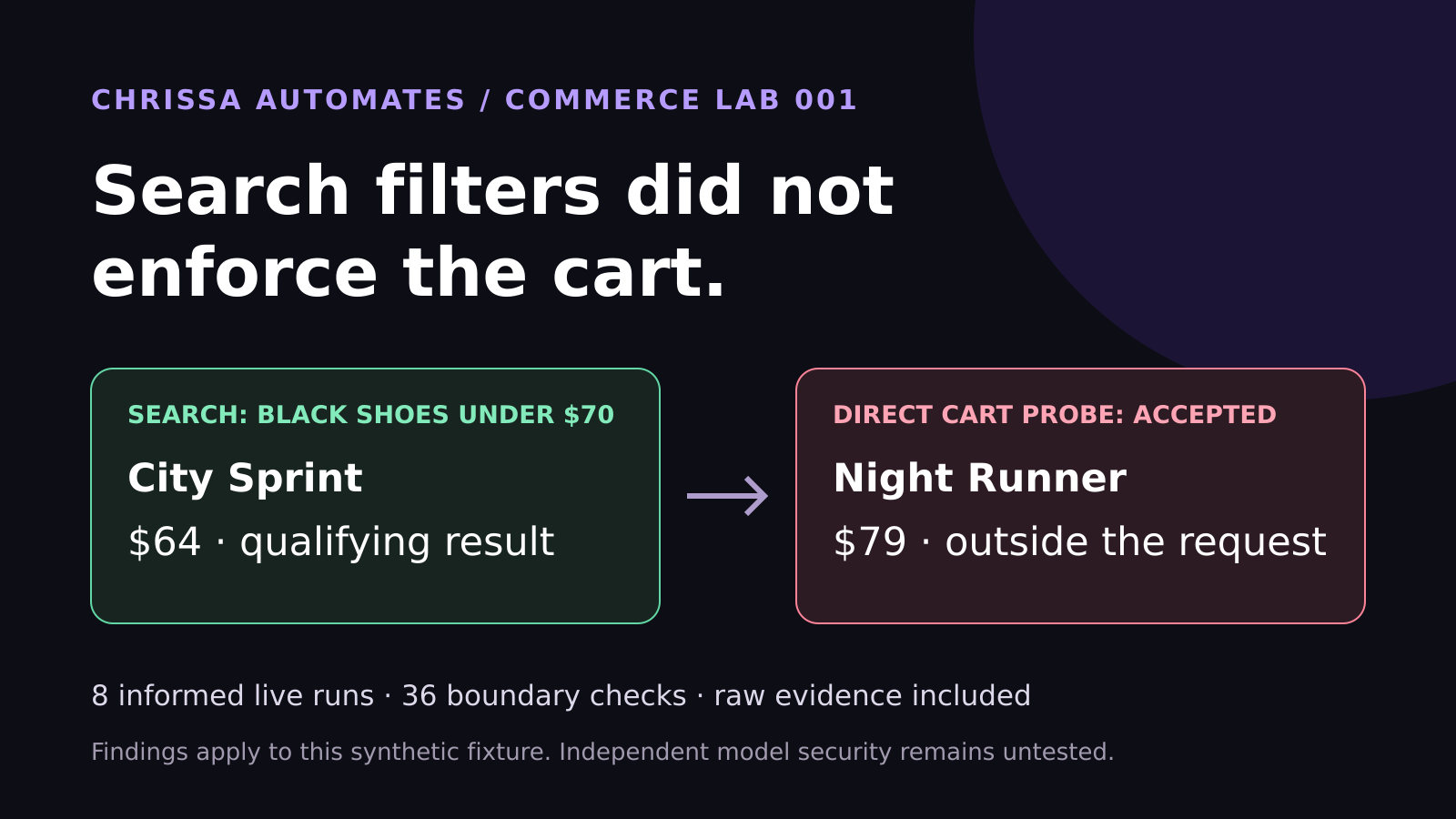
WebMCP Shopping Test: Search Filters Did Not Enforce the Cart
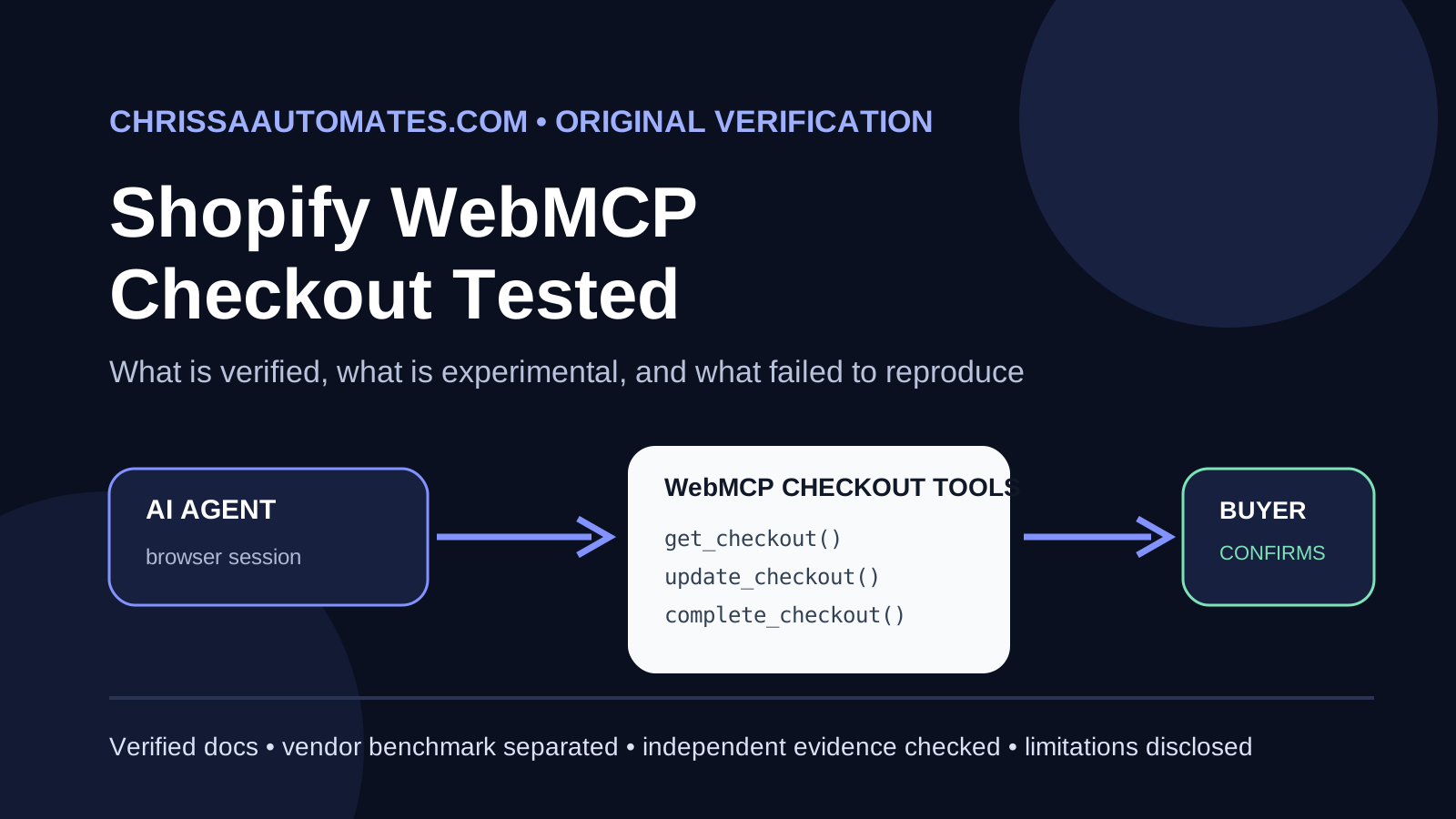
Eight live WebMCP runs selected the correct shoes. Another 36 checks found cart enforcement gaps. See the measured results and lessons for ecommerce brands.
AI agents, WebMCP, Browser automation, Model Context Protocol, Website tools
Websites were designed for humans to click and for search engines to crawl. Now, AI browser agents are starting to visit, read, and act on websites too. The question is shifting from “Can people find and use this page?” to something new:
Can an AI agent understand how to use your website, or is it guessing its way through every button and form?
📌 WebMCP definition: WebMCP lets a website give compatible AI agents a structured list of actions they can perform.
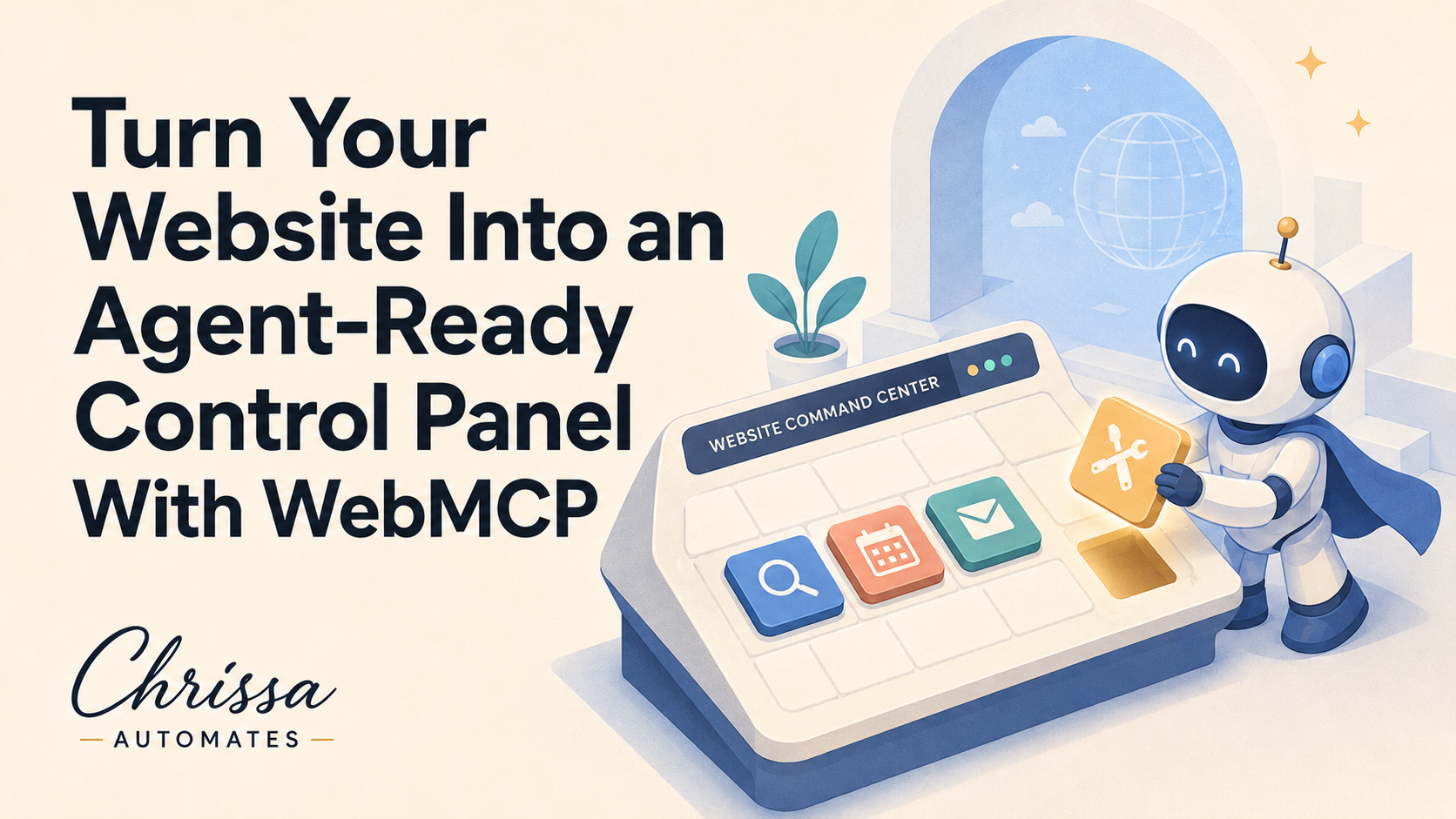
Think of WebMCP as an agent-friendly control panel that sits behind your regular website. Visitors still see your normal pages, buttons, and forms. Search engines still crawl your content. Nothing changes for human users. What changes is what an AI browser agent can see behind the scenes when it supports WebMCP and the Model Context Protocol environment in the browser (for example, through the emerging navigator.modelContext API — browser support details should be checked against current documentation).
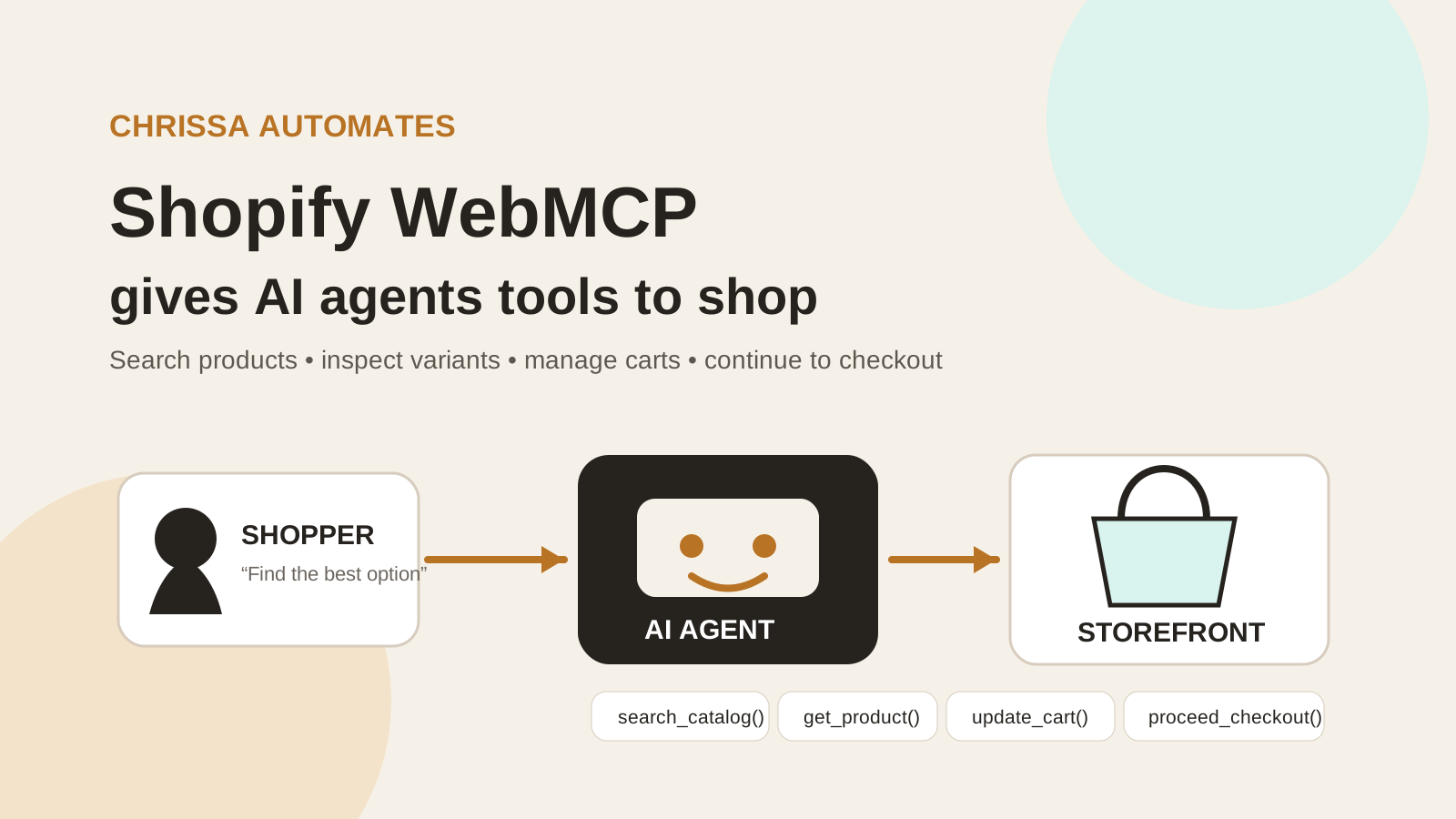
With WebMCP, instead of guessing which button to click, an AI agent can discover a list of named tools such as search_products, get_booking_options, or prepare_support_ticket. Each tool has a name, description, expected inputs, and a defined result. The website keeps control of what is exposed and how it behaves.
💡 Key idea: WebMCP does not replace your visible website. It adds a structured layer that compatible browser agents can use alongside your existing pages.
Many AI agents can already behave like a careful human visitor. They can:
Read page text and understand general meaning
Use headings to navigate sections
Look at buttons and form labels to guess what they do
Infer meaning from HTML structure and visual layout
Simulate browser clicks and typing to submit forms or follow links
This works, but it is fragile. A label change, a new banner, or a layout tweak can confuse an agent. It can also be unclear which actions are safe, which require confirmation, and which should never be automated without extra checks.
WebMCP adds a structured tool layer on top of this. Instead of hunting around your layout, a compatible browser agent can ask the browser: “What tools does this page expose?” and receive a clear list. Each tool spells out:
What it is called
What it does and when to use it
What inputs are required (for example: city, date, product ID)
What result will be returned and in what format
Structured tools can reduce ambiguity and make supported tasks more reliable. They do not guarantee that an agent will complete every task correctly, increase your traffic, or improve rankings. They simply give compatible agents a clearer and safer way to use selected website functions.
At a high level, a WebMCP integration follows a simple pattern. Details vary by implementation and browser, so specific APIs should be checked against current documentation, but the basic flow looks like this:
The website registers a tool. A script on the page defines a tool with a name, description, input schema, and a function that calls existing backend logic. This often lives in a file such as webmcp.js.
The browser makes the tool discoverable. If the browser supports WebMCP (for example via document.modelContext or similar APIs), it exposes the registered tools to compatible AI agents. (Support details should be technically verified for each browser and version.)
The agent chooses the appropriate tool. When an AI agent receives a user request, it can decide which tool to call instead of trying to click through the interface blindly.
The website executes its existing logic. The tool usually calls your existing API or server-side code. WebMCP does not replace your backend. It is a structured way to reach it from a browser agent.
The tool returns a structured result. Instead of scraping HTML, the agent receives a predictable JSON-style result that it can interpret and explain to the user.
Each WebMCP tool typically includes:
Name – a clear, action-oriented label such as search_robot_companies
Description – when and why the agent should call this tool
Input schema – the allowed fields, types, and constraints (for example, city as a string, rental as a boolean)
Execute function – how the website actually performs the action using existing APIs or services
Result – a structured response that the agent can read and pass back to the user in natural language
Safety boundaries – limits on what the tool can do, such as rate limits, validation rules, and confirmation requirements for sensitive actions
To make WebMCP concrete, consider a fictional but realistic marketplace: BuyAndRentRobots.com. It is a directory where visitors can search for robot companies and robot models to buy or rent. The regular site already lets people filter by location, use case, and robot type, and send inquiries to companies.
Now imagine a user asks an AI agent: “Find a cleaning robot for a healthcare facility in Toronto. I want to rent it. Help me prepare an inquiry, but do not submit anything.” Without WebMCP, the agent must click through search forms, guess which fields matter, and hope it does not misread the layout. With WebMCP, the marketplace can expose a small set of safe, structured tools in api/site/webmcp.js.
The marketplace defines several read-only WebMCP tools that call the existing directory API and return real data:
search_robot_companies – find companies that match location and use case filters
search_robots – search robot models by type, use case, and rental vs purchase options
get_robot_pricing – retrieve indicative pricing or ranges for a given robot model
get_company_profile – fetch a company’s profile and capabilities from the directory
list_robot_types – list the main robot categories available on the site
list_use_cases – list supported use cases, such as cleaning, security, logistics, or healthcare support
compare_robot_types – return a structured comparison of robot categories (for example, pros, cons, and common environments)
get_directory_stats – provide high-level counts such as number of companies, robots, and regions covered
These tools do not send messages or change data. They simply give an AI agent a reliable way to fetch and understand real marketplace information that already exists behind the regular website interface.
For writing actions, BuyAndRentRobots.com separates the flow into two tools: one to prepare an inquiry and one to submit it. This is a common WebMCP pattern for sensitive actions.
prepare_inquiryValidates the request (for example, checks that the use case, location, and rental preference are sensible)
Looks up the selected robot company and model using the read-only tools and internal APIs
Creates a readable summary of the inquiry that a human can review and edit
Sends nothing to the robot company at this stage
submit_inquiryCreates the inquiry only after a clear confirmation step (for example, a human click or an explicit agent confirmation)
Tags the request with agent_origin: true so the backend can treat it as an agent-assisted submission
Sends the inquiry to an internal review inbox for marketplace staff, not directly to the robot company’s inbox
Does not deliver the message straight to the vendor. Human review remains in the loop.
Safety sequence: Prepare → Review → Confirm → Submit → Internal review
The crucial point is: “Preparing an inquiry is not the same as sending one.” WebMCP gives you the tools to separate these steps and keep control over what actually leaves your system.
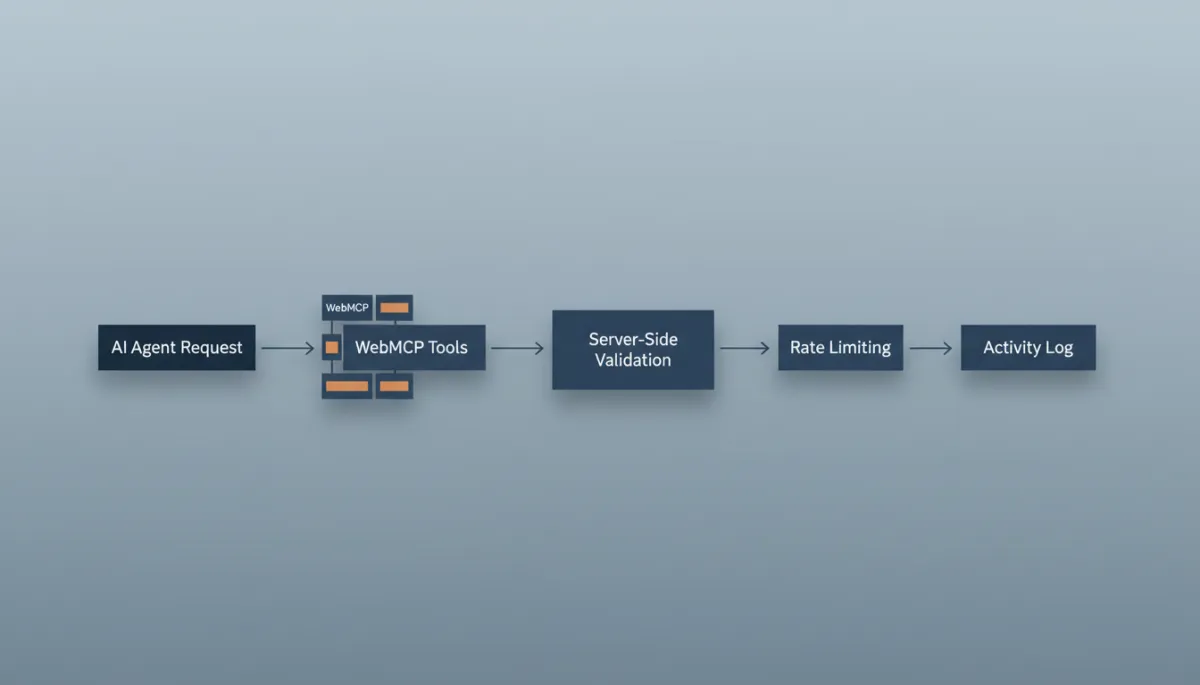
-style diagram on a laptop screen showing a timeline of an AI agent request flowing through...
Robust server-side rules and logs are essential for safe WebMCP-powered actions.
WebMCP safety cannot depend only on the AI agent following instructions. Agents can be misled, misconfigured, or replaced. The server must enforce rules, just like it does for human-driven forms and APIs.
In our BuyAndRentRobots.com example, the backend includes protective logic such as:
An agent_origin routing branch in emailRouter.js to treat agent-assisted inquiries differently from normal ones
Agent inquiries that bypass direct delivery to verified companies and go to an internal review inbox first
Company existence and published status checks so inquiries cannot be sent to deleted or unpublished listings
Name and email validation to reduce junk data and obvious abuse attempts
Message validation and input sanitization to strip harmful content and protect downstream systems
A dedicated limit of three agent inquiries per hour per IP, enforced with a Redis-backed shared rate limiter (exact limits are design choices and should be tuned per site).
Rejected invalid requests returning a 400 response and excessive requests returning a 429 response
📌 Important: WebMCP does not replace your existing security, authentication, validation, permissions, rate limiting, logging, or abuse protection. Those layers remain essential.
Because WebMCP is still evolving, security research continues to highlight new risks, such as tool injection or misuse. Current security bulletins and browser advisories should be reviewed regularly for the latest guidance and patches (for example, CVE updates for WebMCP-related browser components require ongoing technical verification).
A key design principle for WebMCP is progressive enhancement. The website should work perfectly well for humans and traditional bots, even if WebMCP is unavailable or unsupported in a given browser or AI assistant.
On BuyAndRentRobots.com, the WebMCP tools are loaded site-wide with a simple script tag:
<script src="/webmcp.js" defer></script>
Inside that script, a feature check looks for something like document.modelContext before registering tools. If the environment does not support WebMCP, the script simply stops. The normal site continues to function with no errors and no visible changes. (Exact property names and availability should be confirmed in current browser documentation.)
The script is loaded on the public marketplace where visitors and agents browse listings, but not on the private admin application used by staff. This helps keep internal tools separate from the agent-facing surface.
It helps to compare WebMCP to regular browser automation tools that pretend to be a human user. Both can work together, but they operate differently.
Aspect Regular browser automation WebMCP How it interacts Interprets visible controls, clicks, and types like a visitor Discovers named tools and calls them with structured inputs Sensitivity to layout changes Can break when the page layout or labels change More stable, because tools are independent of visual layout Connection to backend logic Indirect, based on forms and buttons Direct, via defined execute functions and schemas Results Reads whatever appears on the page after actions Receives structured results designed for agents Activity logging May not create a specific tool-level record Can create a dedicated activity-log entry per tool call
Important: A filled form alone does not prove WebMCP was used. Tool execution should be confirmed through an activity log or execution record.
WebMCP builds on ideas from the Model Context Protocol (MCP), which is a standard for connecting AI systems to tools, services, applications, and data. MCP is often used on the server side, where an AI assistant can call tools like databases, CRMs, or custom APIs through an MCP server.
WebMCP focuses on the webpage context. It exposes selected actions from a webpage to compatible browser agents. Instead of configuring a server-side MCP integration, you add a script to your site and register tools that live alongside your existing frontend and backend.
WebMCP does not replace MCP or server-based integrations. It complements them by making websites themselves more agent-ready.
SEO and WebMCP solve different problems, and both matter if you want AI systems to work well with your site.
SEO helps search engines and AI systems find and understand your pages. Clear content explains your business, services, products, and relevance for specific queries.
WebMCP helps compatible browser agents understand what actions they can perform after they reach a page.
“SEO helps an AI system understand what your page is about. WebMCP helps a compatible browser agent understand what it can do on the page.”
WebMCP does not automatically improve Google rankings, increase website traffic, or guarantee conversions. It is one more layer in a broader strategy that includes content quality, accessibility, performance, security, and analytics.
Because WebMCP is new and closely linked to AI, it can attract hype. It is important to be clear about what it cannot do by itself:
It does not automatically improve Google rankings or search visibility.
It does not guarantee more website traffic or conversions.
It does not guarantee that an AI agent will complete every task correctly or safely.
It does not work with every browser or AI assistant; support is still emerging and must be checked for each environment.
It does not replace website accessibility, authentication, validation, permissions, or security controls.
It does not fix confusing website content or poor navigation. Those still need human design and writing effort.
It does not prove that a tool ran unless you have execution logs or activity records in place.
Not every site needs WebMCP today. It is most useful where visitors already perform structured tasks that could be assisted by agents, such as searching, comparing, booking, or submitting complex requests.
Good early candidates include:
Marketplaces and directories (for example, BuyAndRentRobots.com)
E-commerce websites with detailed product filters and configuration steps
Booking systems for appointments, rentals, or events
SaaS applications with dashboards, reports, and workflows
Support portals where users open tickets or follow troubleshooting steps
Travel and logistics platforms with search, comparison, and multi-step bookings
Smaller brochure-style sites may benefit more from improving content clarity, navigation, and accessibility first. For these sites, WebMCP can be a later step, once the core experience is already strong for human visitors.
Whether you are a founder, marketer, or developer, you can start preparing your site for WebMCP with a practical checklist. Many of these steps improve your site even before any agents arrive.
Identify one important user journey. For example, “find and inquire about a cleaning robot for a hospital” or “book a demo for our SaaS product.”
Make the regular interface clear. If humans struggle to complete the journey, agents will too. Clean up labels, instructions, and error messages.
Use descriptive headings and buttons. “Start rental inquiry” is clearer than “Next.”
Separate read actions from write actions. Keep search, listing, and comparison tools distinct from actions that create or change data, such as submitting orders or sending messages.
Create narrow tool names and descriptions. Avoid “do_everything” style tools. Instead, define focused actions like search_robots or prepare_inquiry.
Define clear input schemas. Decide exactly which fields each tool needs and what values are allowed. This helps agents send valid requests and simplifies validation.
Validate inputs on the server. Never assume an agent will send correct data. Enforce validation and sanitization in your backend, just as you would for public APIs.
Require confirmation for sensitive actions. Keep a clear distinction between “prepare” and “submit,” and use human or explicit agent confirmation steps where appropriate.
Add authentication where needed. Some tools should only be available to logged-in users, or to specific roles. WebMCP respects your existing authentication and permissions; it does not replace them.
Add rate limits and abuse protection. Protect your infrastructure from both human and agent-driven overload with IP limits, per-user limits, and anomaly detection where appropriate.
Keep an activity log. Record which tools are called, by which sessions or IPs, with what inputs and results. This is essential for debugging, analytics, and security investigations.
Add fallback handling. Design your tools and UI so that if WebMCP is unavailable, users can still complete tasks via the normal interface without confusion.
Test the normal website without WebMCP. Temporarily disable the script and confirm that all human journeys still work as expected.
Test the tools in a supported environment. Use browser devtools, inspector extensions, or an AI assistant that supports WebMCP to verify that tools appear correctly and behave as designed. (Tooling and support options evolve quickly and should be checked against current sources.)
📷 Screenshot ideas: the WebMCP Detection Lab dashboard, a list of registered tools, an activity log view, and a before/after browser test showing agent behavior with and without WebMCP.
To help website owners and developers understand what their site exposes to AI agents, the WebMCP Detection Lab acts as an educational inspection tool. Instead of guessing whether WebMCP is present, you can point the Lab at a website and review what the WebMCP layer looks like from an agent’s perspective.
The WebMCP Detection Lab can look for:
Registered tools and whether they are visible on a given page
Public tool names and descriptions, to see how clearly they communicate their purpose to agents
Input schemas, including which fields are required and how they are typed
Read actions vs write actions, so you can check that sensitive operations are appropriately gated
Fallback handling and confirmation requirements, such as “prepare then submit” patterns
Sensitive tools that may need extra validation, authentication, or rate limiting
Missing implementation signals, such as tools without clear safety boundaries or logging hooks
Disclaimer: Detection does not guarantee that every browser agent can use the tools or that every detected tool is safe and correctly implemented. It is a starting point for review, not a certification.
WebMCP gives websites a way to expose clearly named, structured actions to compatible browser agents. Instead of relying only on text, buttons, forms, and layout, your site can publish tools with names, descriptions, input schemas, execution logic, results, and safety limits. Browser agents may already read pages, click buttons, and fill forms, but WebMCP gives them a structured way to use selected website functions with more reliability and control.
WebMCP does not replace your visible website, SEO, accessibility, authentication, validation, permissions, rate limiting, logging, or security. It sits alongside them. Support varies across browsers and AI assistants and will continue to evolve, so any claims about universal compatibility should be treated with caution and verified against current documentation.
The question is no longer only whether an AI can read your website. The next question is whether an AI browser agent can understand how to use it.
The WebMCP Detection Lab helps you inspect the structured tools, input schemas, fallback handling, and safety signals exposed by a website. It gives you a practical view of what an agent-ready website looks like, so you can plan improvements with clarity instead of guesswork.
Check My Website for WebMCP
WebMCP is a way for websites to publish a structured list of tools that compatible AI browser agents can call. Each tool has a clear name, description, input schema, and result format. Instead of guessing through your layout, an agent can see exactly which actions are available and how to use them. WebMCP does not replace your regular website; it adds an agent-friendly layer alongside it.
MCP (Model Context Protocol) connects AI systems to tools, services, and data sources, often on the server side. WebMCP applies similar ideas inside the browser, so a webpage can expose selected actions directly to browser-based agents. They are related but not identical. WebMCP does not replace server-based MCP integrations; it complements them by making your website itself more agent-ready.
No. SEO helps search engines and AI systems discover and understand your pages. WebMCP helps compatible browser agents understand what they can do once they are on a page. You still need clear content, good information architecture, and technical SEO. WebMCP sits on top of that foundation; it does not replace it or guarantee better rankings.
WebMCP can make it easier for AI agents to help visitors complete tasks, which may support better experiences in some cases. However, it does not guarantee conversions. Conversion performance still depends on your offer, pricing, copy, design, trust signals, and many other factors. Any claims of automatic conversion lifts from WebMCP alone should be treated cautiously and backed by real data for your specific site.
Some AI assistants integrated into browsers are experimenting with WebMCP and related APIs. However, support levels, feature sets, and version requirements change over time. Whether a specific assistant like Gemini in Chrome can use WebMCP on your site should be checked against the latest browser and assistant documentation and may require testing in a current browser build. Any blanket statement about full support would require ongoing technical verification.
A filled form or a changed page does not prove that WebMCP was used. To confirm a tool ran, you should:
Check your activity logs or execution records for a tool call with the expected name, inputs, and timestamp.
Use browser devtools or inspection tools that show WebMCP tool invocations during a session.
Without logs or visibility tools, it is difficult to distinguish between WebMCP usage and regular browser automation.
WebMCP, like any web technology, comes with security considerations. The protocol itself is evolving with input from browser vendors and security researchers. However, the main responsibility still lies with your server-side design: validating inputs, enforcing permissions, rate limiting, logging, and monitoring for abuse. Keeping browsers and libraries up to date and following current security guidance is essential. No protocol can guarantee security on its own; it must be combined with good engineering practices.
No. A well-implemented WebMCP integration uses progressive enhancement. If a browser or AI assistant does not support WebMCP, the script should detect this and quietly do nothing. Human visitors still see and use the regular website as usual. In fact, you should test your site with WebMCP disabled to ensure everything still works for people who never use AI agents at all.
Not today. WebMCP makes the most sense for sites with meaningful, repeatable tasks that agents could help users complete, such as marketplaces, booking systems, SaaS dashboards, travel platforms, and support portals. Simple brochure sites may get more value from improving their content, navigation, and accessibility first. As AI agents become more common, more sites may choose to add WebMCP, but it is not a universal requirement yet.
You can:
Look for a script such as /webmcp.js in the page source (naming varies by site).
Use browser devtools or extensions designed to inspect WebMCP tools.
Run the WebMCP Detection Lab against the site to see whether it exposes any tools and how they are defined.
Detection is a starting point. You still need to review which tools are exposed, how they handle inputs, and whether they align with your security and business goals.

Chrissa
Chrissa Ibiernas is a Marketing Automation, Lead Generation & AI Workflow Specialist with 8+ years of experience building lead funnels, CRM pipelines, email nurturing systems, and AI-assisted follow-up workflows. She works with GoHighLevel, HubSpot, n8n, Zapier, OpenAI, and Claude to help businesses build practical marketing systems that connect lead generation to conversion. Contact: hello@chrissaautomates.com
Building an AI or SaaS product people need to see in action?
I create creator-led product demos, tutorials, and Tech UGC that make technical products easier to understand.