Some links in this article may be affiliate links. I may earn a small commission if you choose to sign up or purchase through them, at no extra cost to you.
Your offer is not wrong, you just need a better system behind it.
A business owner searches Google Maps, finds nearby cafes, gyms, clinics, and boutiques, sends a few messages, then loses track of who replied, who needs a follow-up, and which offer resonated with each business type.
That gap between effort and results is what this guide addresses.
This article breaks down a practical, step-by-step process for local businesses, salons, spas, clinics, gyms, cafes, boutiques, hotels, wellness businesses, and service providers to find local collaboration partners using Google Maps, organize outreach in a tracker, and eventually automate the research with workflow tools.
The approach combines real-world outreach testing, local search data, and the same marketing systems principles I apply when building lead generation and CRM workflows for businesses across industries.
Quick Answer: How Can a Local Business Get More Customers Using Google Maps Partnerships?
A local business can use Google Maps to find nearby businesses that already serve the same type of customer. Once those businesses are identified, the owner can organize them in a tracker, match each business category to a logical collaboration angle, send a short outreach message, and follow up consistently.
The goal is not to contact every business in the city. The goal is to find businesses with audience overlap and create simple, low-pressure partnerships — customer rewards, referral perks, giveaway prizes, staff appreciation offers, event preparation support, or local promo bundles.
Why Local Partnerships Work: What the Data Shows
Before building the system, it helps to understand why local partnership outreach is worth the effort in the first place.
Google's local search behavior research has consistently shown that proximity drives intent. According to Think with Google, 76% of people who searched for something nearby on a smartphone visited a related business within a day, and 28% of those searches resulted in a purchase. (Think with Google)
BrightLocal's 2024 Local Consumer Review Survey found that 98% of consumers used the internet to find information about local businesses, and trust in online reviews continues to be a primary factor in purchase decisions. (BrightLocal)
Nielsen's Global Trust in Advertising report found that recommendations from people they know remain the most trusted channel among consumers, with 88% of global respondents trusting word-of-mouth over paid media. (Nielsen)
What this means practically: nearby businesses are not just potential collaborators. They are already embedded in the decision path your customers walk before they discover you. Cafes, gyms, hotels, schools, and clinics are places your potential customers already visit, trust, and receive recommendations from.
Local partnerships tap into that existing trust rather than building awareness from scratch.
Who This Guide Is For
This process is designed for local service businesses that want more visibility, more referrals, and more collaboration opportunities — without relying on paid ads as the primary channel.
Use this guide if you run a:
-
Salon, spa, or beauty business
-
Aesthetic or dental clinic
-
Gym or fitness center
-
Cafe or restaurant
-
Boutique or retail shop
-
Hotel or event venue
-
Wellness center
-
Photography studio
-
Any local service business
The same process works regardless of city or country. The logic is consistent: find nearby businesses with audience overlap, match a collaboration angle, reach out with a short message, and track everything.
Step 1: Identify Businesses That Already Serve Your Customers
The foundation of local partnership outreach is audience overlap, not just geographic proximity.
You are not looking for any nearby business. You are looking for businesses that already serve people likely to care about what you offer.
Audience overlap examples:
The collaboration offer should feel natural to both sides. A salon voucher can become a cafe customer reward. A gym trial can become a company wellness perk. A cafe gift card can become a boutique giveaway prize.
The best local collaborations are not forced. They work because both businesses already serve a similar local audience, so the offer makes immediate sense to the partner.
Step 2: Use Google Maps as Your Starting Point
Google Maps is one of the most underused tools for local business development. It shows businesses that already exist in the area, already serve local customers, and already have public contact information.
Search format:
[Business category] in [City]
Examples:
-
cafe in [City]
-
gym in [City]
-
hotel in [City]
-
clinic in [City]
-
boutique in [City]
-
event venue in [City]
-
school in [City]
-
spa in [City]
The goal is not to contact every result. The goal is to build a reviewed, categorized list of businesses where a collaboration offer would make sense — as a customer reward, referral perk, giveaway prize, staff appreciation gift, or event partnership.
From my workflow experience: When I first tested this process manually for a local service business, the difference between random outreach and organized, categorized outreach was significant. The structured approach — grouped by category, with a specific message angle for each type — consistently produced better responses than generic bulk messages.
Step 3: Google Maps Search Terms by Business Type
The best search terms depend on your business type and the kind of customer you want to reach.
Salons, Spas, and Beauty Businesses
Search for: cafes, gyms, hotels, boutiques, clinics, dental clinics, event venues, wedding venues, schools, photography studios
Collaboration angles: Free facial prize, salon discount for staff, event preparation offer, customer giveaway, beauty and lifestyle bundle
Gyms and Fitness Centers
Search for: cafes, meal prep businesses, wellness clinics, physical therapy clinics, sports shops, salons, spas, local creators
Collaboration angles: Member challenge prize, wellness bundle, recovery offer, partner discount, fitness giveaway
Cafes and Restaurants
Search for: salons, boutiques, gyms, schools, offices, coworking spaces, hotels, event venues
Collaboration angles: Customer reward, receipt-based promo, giveaway prize, local lifestyle bundle, event day collaboration
Clinics and Wellness Centers
Search for: gyms, salons, pharmacies, wellness centers, schools, offices, hotels, local organizations
Collaboration angles: Wellness education partnership, staff appreciation perk, patient referral resource, community health promo
Boutiques and Retail Shops
Search for: salons, cafes, photographers, makeup artists, event venues, hotels, gift shops, local creators
Collaboration angles: Styling and beauty bundle, shopping reward, event preparation package, giveaway collaboration, creator content partnership
Step 4: Organize Your Leads by Business Category
A raw list of business names is not enough to run consistent outreach.
A cafe needs a different message than a gym. A school needs a different angle than a hotel. A clinic needs a different offer than a content creator.
This is why organizing by category matters before writing a single message.
Category and collaboration angle reference table:
Note from Chrissa: In my CRM and pipeline work, I have seen how categorized lead lists consistently outperform unstructured ones — not because the data is different, but because the follow-up is more relevant. The same principle applies here. The category drives the message, and the message drives the response.
Step 5: Use a Short, Low-Pressure Outreach Message
The best local outreach messages are not long proposals or formal partnership decks.
They are short, friendly, locally relevant, and easy to say yes to.
They do not ask the business to buy anything. They offer a simple collaboration idea that benefits the other business's customers, staff, guests, members, or audience.
Message formula:
-
Greet the business
-
Mention your local connection
-
Introduce your business briefly
-
Offer something useful (a reward, perk, giveaway, or referral idea)
-
Connect the offer to their audience
-
End with a soft, low-pressure question
Example message:
Hi [Business Name], I'm reaching out from [Your Business] here in [City]. We're exploring simple local collaborations with nearby businesses, and I thought your [customers / members / guests / staff / students] might enjoy [your offer] as a reward, giveaway, or appreciation perk. Would your team be open to a simple collaboration idea?
This works because it feels like a local business offering something useful — not a cold sales pitch from a stranger.
What makes it convert:
-
It leads with benefit for the partner's audience, not a request
-
It names a specific type of recipient (customers, staff, guests)
-
It uses non-committal language ("simple collaboration idea")
-
It ends with a yes/no question, not a meeting request
Step 6: Track Outreach Before It Gets Messy
The first message is only the beginning. The real challenge is follow-up.
Without a tracking system, it becomes easy to forget who was contacted, which message was sent, who replied, who needs a follow-up, and which collaboration angles performed best.
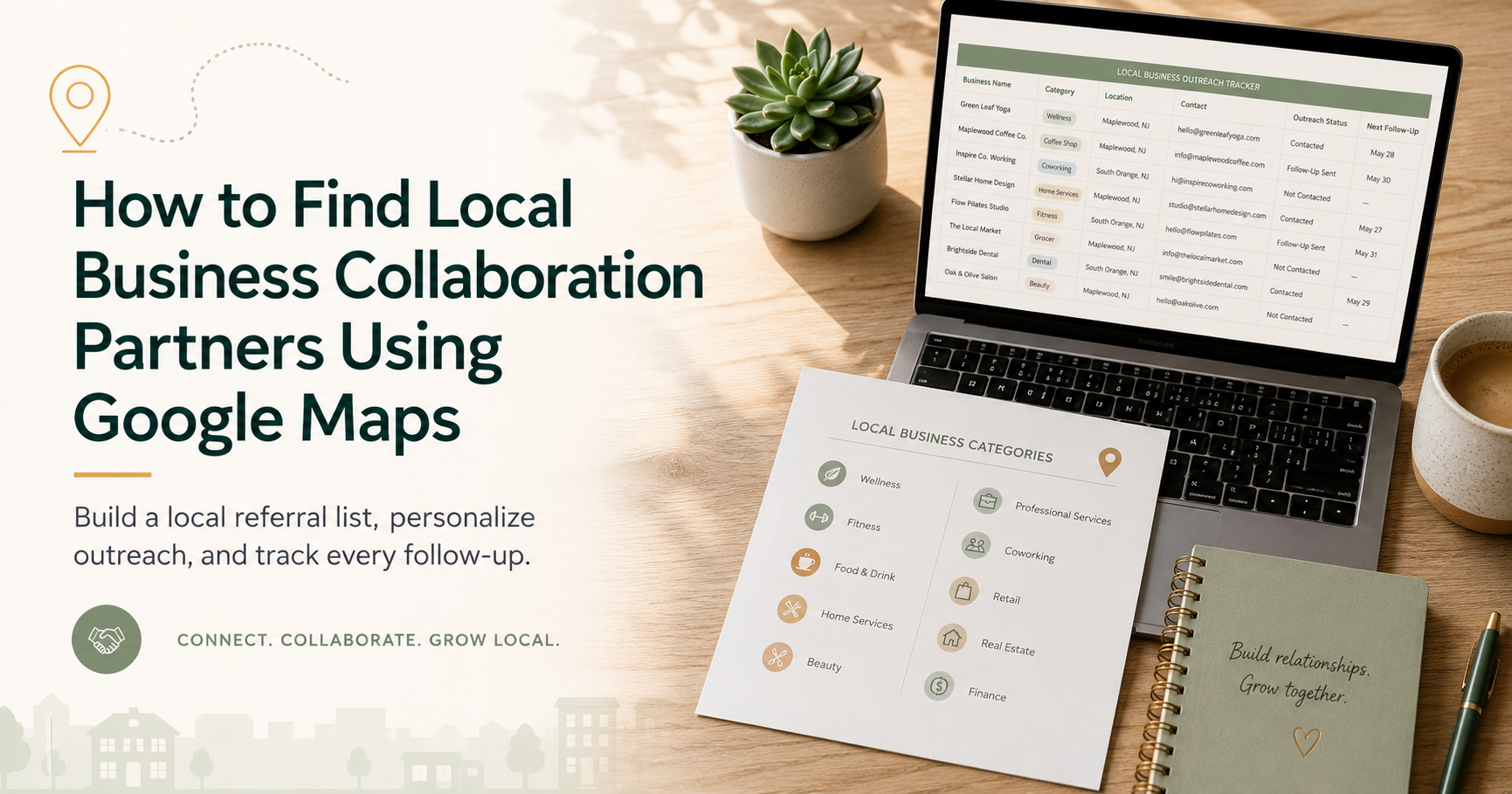
The core columns every local outreach tracker should include:
-
Business name
-
Business category
-
Google Maps link
-
Website or Facebook page
-
Phone number
-
Collaboration angle
-
Outreach message
-
Date contacted
-
Follow-up date
-
Response status
-
Notes
This turns outreach from scattered messaging into a visible, manageable local partnership system.
The Local Partnership Outreach Tracker
To make this process easier to start, I built a Local Partnership Outreach Tracker — a spreadsheet template designed specifically for service businesses that want to organize nearby collaboration opportunities without losing track of messages, follow-ups, and responses.
It includes:
-
A lead tracking sheet with all core columns
-
A category-to-collaboration-angle reference table
-
A Prompt Builder tab that keeps your lead list clean while helping you generate short, local, low-pressure outreach messages
The tracker is for business owners who want to start manually but stay organized from day one.
→ Get the Local Partnership Outreach Tracker on Payhip
Step 7: Start Manually Before You Automate
This is one of the most important pieces of advice in this entire guide.
Do not automate local outreach before you understand it manually.
Manual testing reveals:
-
Which business categories make sense for your offer
-
Which message angles feel natural and get responses
-
Which offers are easy for a partner to understand and say yes to
-
Which fields actually need to be tracked
-
Which steps are repetitive enough to automate later
My workflow process: Every automation system I build starts with a manual map of the process. If the manual workflow is unclear, automation only produces faster errors. I applied the same logic when developing this outreach workflow I tested it manually first, identified the repeating steps, then built the automation layer only after the system made sense on paper.
This is also why the tracker comes before automation in this guide. The tracker makes the process visible. Automation makes it faster. They serve different purposes.
Step 8: Automate the Research After the Process Is Clear
Once the manual process is validated, the research steps can be automated.
The automation workflow path:
Keyword list → Google Places API search → Business details → Data cleaning → Google Sheets tracker → Apollo.io enrichment → Manual review → Outreach
Tools that support this workflow:
-
n8n — open-source workflow automation for connecting the search, data, and spreadsheet steps
-
Google Places API — for retrieving business names, categories, addresses, phone numbers, and websites
-
Apollo.io — for enriching leads with verified contact details, email addresses, and decision-maker information once businesses are identified from Google Maps
-
Google Sheets — as the live tracker that receives cleaned and enriched data
-
Manual review layer — before any message is sent
Where Apollo.io fits in the outreach workflow:
Google Maps gives you the business name, category, location, and phone number. Apollo.io takes it further. Once you have a target business identified, Apollo can help surface the owner's or manager's name, verified email address, and additional contact context — turning a Google Maps listing into a reachable lead.
The combined approach works like this:
-
Google Maps identifies nearby businesses with audience overlap
-
Apollo.io enriches those leads with verified contact details
-
n8n connects the data pipeline into your Google Sheets tracker
-
You review, choose the right collaboration angle, and send a personalized message
This is especially useful when reaching out to mid-sized businesses where the Google Maps listing only shows a general phone number or contact form, but you want to reach the actual decision-maker directly.
From Chrissa: Apollo.io is a tool I recommend when outreach needs to go beyond a general inquiry message. For local partnerships, the Google Maps phone number is often enough to start. But when you want to reach the owner, marketing manager, or events coordinator by name and email — Apollo bridges that gap. Combined with n8n and a clean tracker, it turns a list of nearby businesses into a properly sequenced outreach pipeline.
What can be automated:
-
Searching by keyword and city
-
Pulling Google Places results
-
Extracting business details (name, category, contact, Maps link)
-
Enriching leads in Apollo.io for verified email and contact info
-
Cleaning and deduplicating the data
-
Populating the tracker for review
What should stay human:
-
Reviewing each lead for fit
-
Choosing the right collaboration angle
-
Sending the outreach message thoughtfully
-
Managing replies and follow-ups
The principle: automate the repetitive research and enrichment. Keep the relationship-building human.
Need the Automation Built for You?
If you want the full automated lead discovery workflow — Google Places API connected to n8n, Apollo.io for contact enrichment, and your Google Sheets tracker — that is something I build as a service.
The workflow handles keyword-based searches, pulls business details, enriches leads with verified contact information via Apollo.io, cleans the data, and delivers organized leads directly into your tracker for review.
This is best suited for businesses or marketing teams that want to research multiple categories, multiple cities, or run outreach at a larger scale without doing the data collection manually.
Step 9: How This Fits Into Search Everywhere Optimization
Search is no longer limited to Google Search alone.
In 2026, people discover local businesses through:
-
Google Search and Google Maps
-
Facebook and Instagram pages
-
TikTok content and reviews
-
Local directories and community groups
-
Recommendations from people and businesses they trust
-
AI assistants and AI-powered search results
-
Future AI agents that surface local recommendations automatically
For a local business, visibility is not only about ranking a website. It is about being easy to find, understand, compare, recommend, and contact across multiple platforms and surfaces.
This is why local partnership outreach matters in the context of Search Everywhere Optimization (AEO/SEO).
When a nearby cafe recommends your salon to its customers, that recommendation may appear on Instagram, in a Facebook post, in a Google review, or in a conversation with an AI assistant. Each of those appearances is a visibility signal that no paid ad produces by itself.
The tracker helps organize those opportunities systematically.
FAQ
How do I get more customers for a local business without paid ads?
Start by finding nearby businesses that already serve your target customers. Use Google Maps to search by business category, organize the results in a tracker, identify a simple collaboration angle for each category, send a short outreach message, and follow up consistently.
How do I find local business collaboration partners?
Search Google Maps by business category and city. Group the results by category, choose a collaboration angle that makes sense for each type of business, write a short and specific outreach message, and track all contact status, follow-up dates, and responses in a local outreach tracker.
What is a Local Partnership Outreach Tracker?
It is a spreadsheet used to organize nearby businesses that could become collaboration partners. Core fields include business name, category, contact details, Google Maps link, collaboration angle, outreach status, follow-up dates, and response notes.
Why start manually before automating local outreach?
Starting manually helps you understand which businesses are the right fit, which messages get responses, and which steps are actually repetitive enough to automate. Automating before the manual process is clear often produces faster but messier results.
What parts of local outreach can be automated?
The research steps keyword searches, Google Places results, business detail extraction, Apollo.io contact enrichment, data cleanup, and spreadsheet population — can be automated using tools like n8n, the Google Places API, and Apollo.io. Message review and relationship-building should remain human.
How does local partnership outreach support Search Everywhere Optimization?
Local visibility now happens across Google Maps, social platforms, reviews, directories, community recommendations, and AI-powered search. Partnerships with nearby businesses create referral touchpoints across all of those surfaces — not just Google Search.
How does this apply to the agentic AI era?
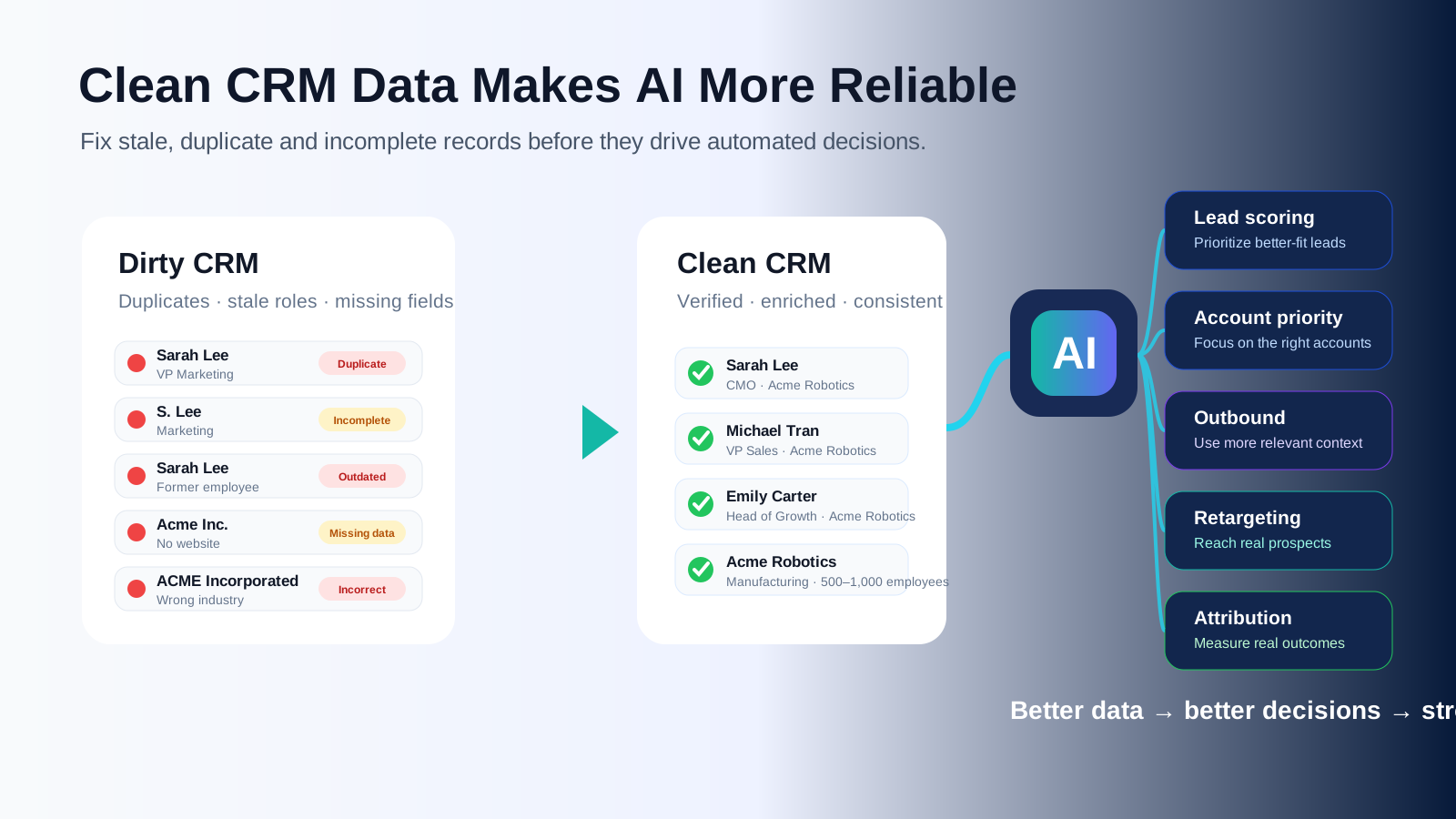
Structured local outreach data — clean categories, clear lead stages, organized follow-up logic — is easier for AI tools and future AI agents to act on. Businesses that build clean systems now are better positioned to scale with AI-assisted tools later.
Who can use this process?
Any local service business — salons, spas, clinics, gyms, cafes, boutiques, hotels, event venues, wellness centers, photography studios, and local service providers — can apply this process regardless of city or country.
Local outreach works better when it is organized, relevant, and human.
The tracker does not replace real relationship-building. It makes the research, message planning, follow-up, and response tracking easier to manage so that the human part — the actual conversation and collaboration — gets more of your attention.
Start manually. Track what works. Automate the repetitive steps when the process is clear.
If you want the tracker to start organized from day one, or the automation workflow built to scale your research, both are available:
→ Get the Local Partnership Outreach Tracker on Payhip — Start with the manual system, organized from the first lead.